Report generation
When you'd use this
After containing an incident - or any time management, auditors, or a regulator needs a structured account of what happened - you can generate a report from any case in one click instead of assembling it by hand.
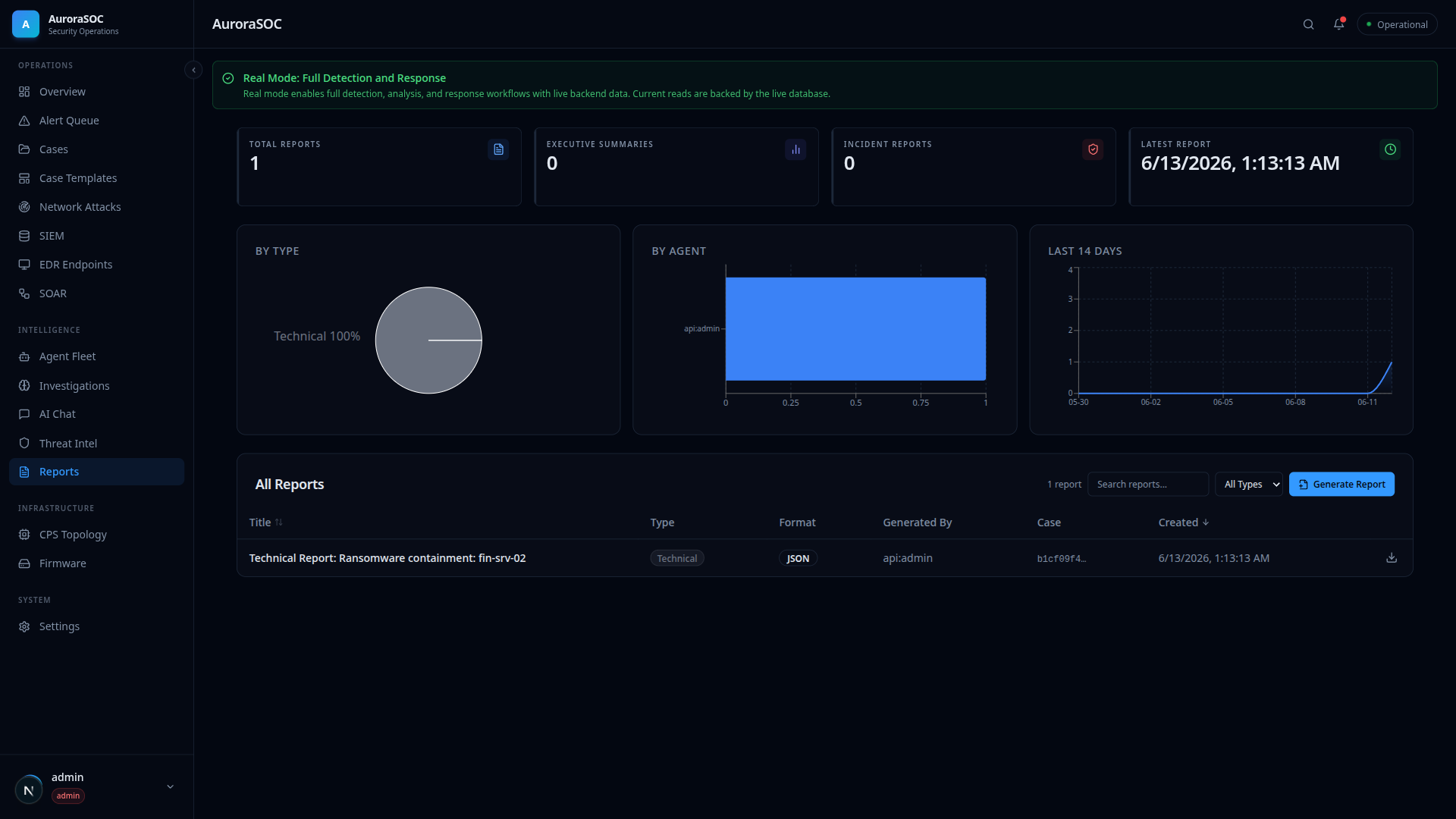
Generate a report
From the Reports page:
- Click Generate Report in the table toolbar.
- Pick the case and a report type:
technical- full timeline, IOCs, MITRE techniques, affected assets, CPS impact, recommendations.executive- the same data framed for leadership.compliance- framed for audit evidence.
- Click Generate. The report appears at the top of the list.
From a live incident view, the Generate report button in the header does the same for that case directly.
The API equivalent:
curl -X POST /api/v1/reports/generate \
  -H "Authorization: Bearer $TOKEN" \
  -H 'Content-Type: application/json' \
  -d '{"case_id": "<case-uuid>", "report_type": "technical"}'
Generation requires the reports:generate permission (admin and
analyst profiles carry it by default).
What goes into a report
The builder walks the case at generation time:
- the full case timeline (every agent and analyst action),
- IOCs and MITRE techniques aggregated from the linked alerts,
- affected assets, deduplicated,
- CPS/IoT device impact when devices are involved,
- the case's recommended actions (or a sensible default set).
Reports are immutable snapshots - regenerating after new timeline activity produces a new report rather than mutating the old one, so the version you sent to a regulator stays exactly as sent.
Download formats
Open any report and use the download buttons: PDF, HTML, or Markdown. Agents can also generate reports autonomously when a case closes (the Report Agent runs at the highest autonomy tier because a summary is the lowest-blast-radius output the fleet produces).